Your Voice, Your Words, Your Way
Transform natural speech into perfectly polished text. VoxType Desktop learns your style, adapts to every app, and even works completely offline.
🎁 15 minutes FREE every month • 30-day Pro trial • Works on Windows 10/11
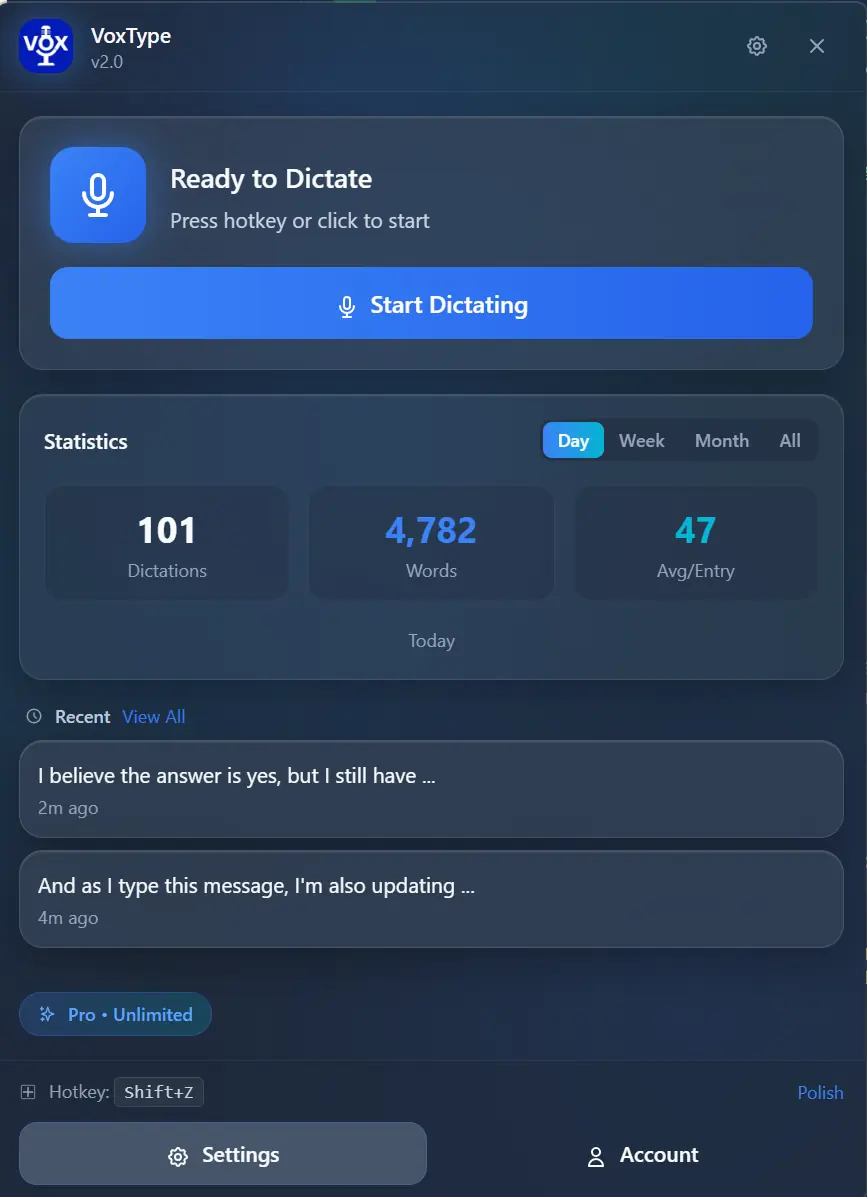
AI Dictation That Actually Understands You
From rough speech to polished text—VoxType handles it all automatically
AI Text Enhancement
Speak naturally and get professional results. VoxType fixes grammar, removes filler words, and polishes your text automatically.
Smart Context Detection
VoxType knows where your text is going. Professional for email, casual for Slack, technical for code editors—all automatic.
Learning System
Every correction teaches VoxType your preferences. Custom vocabulary, spelling style, and tone—it remembers everything.
On-Device Privacy
Keep everything local with GPU-accelerated offline processing. Your voice never leaves your computer.
Blazing Fast
5-10ms hotkey response with NVIDIA CUDA and AMD Vulkan GPU acceleration. Instant results, zero lag.
Complete History
Browse all past dictations with timestamps. Search, favorite, and export your history anytime.
VoxPM Built-In
Record meetings up to 2 hours directly from the app. VoxPM subscribers get transcripts, summaries & action items.
Powerful Yet Simple Interface
A clean, modern app designed for productivity
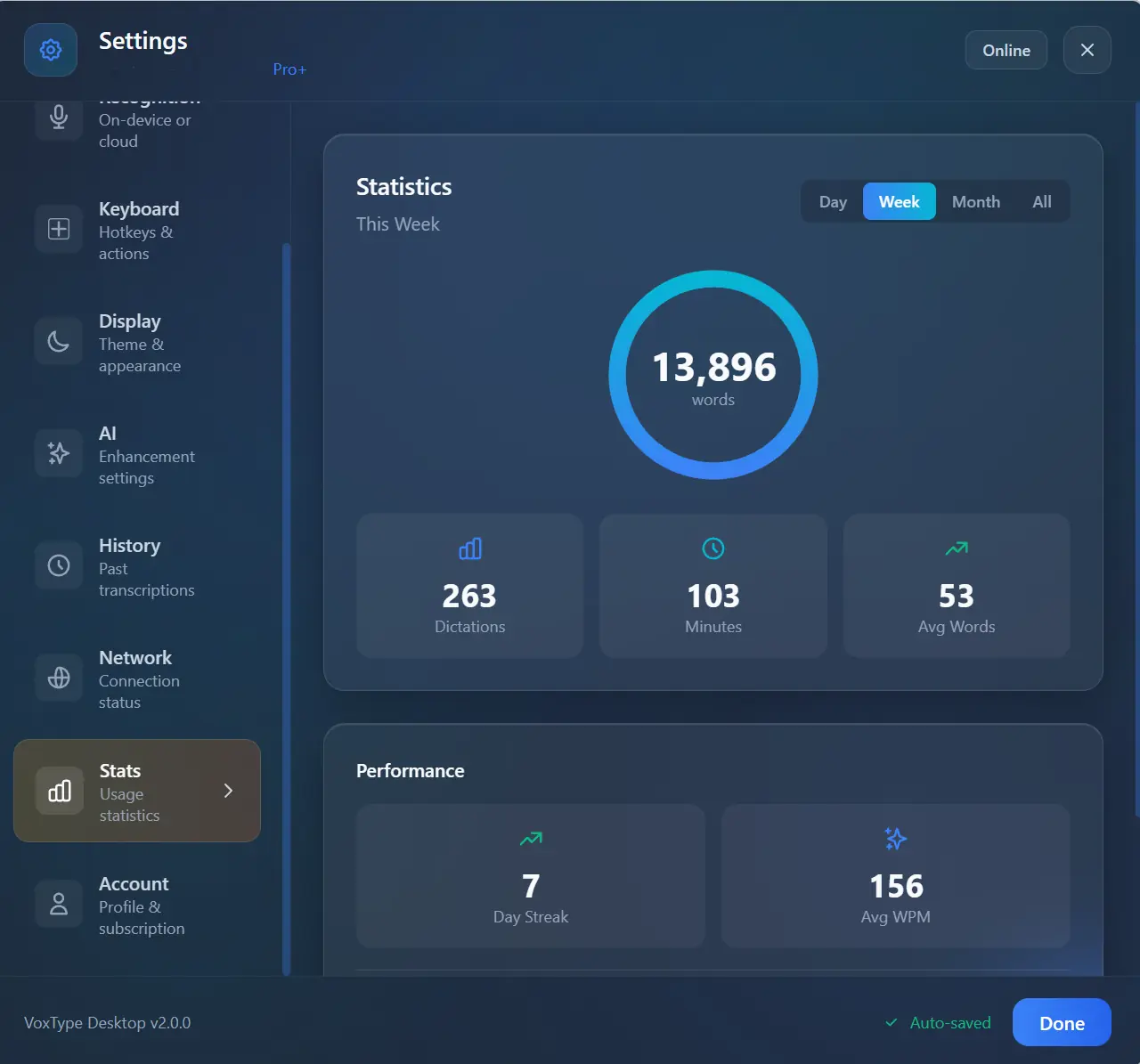
📊 Track Your Productivity
See your dictation stats at a glance—words typed, minutes saved, and performance metrics. Track your progress over days, weeks, or months.
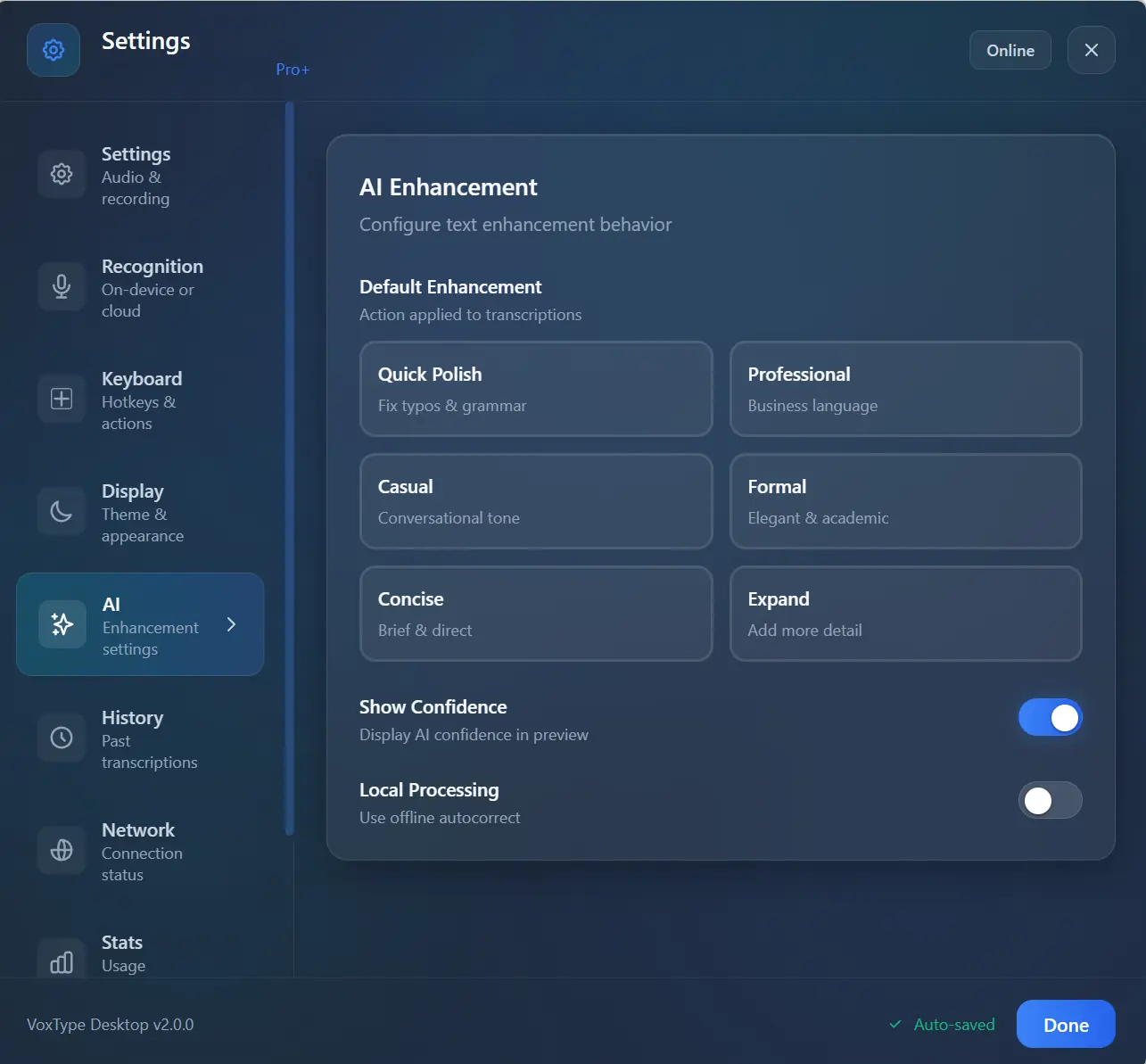
✨ AI Enhancement Modes
Choose your style: Quick Polish, Professional, Casual, Formal, Concise, or Expand. VoxType adapts to your needs.
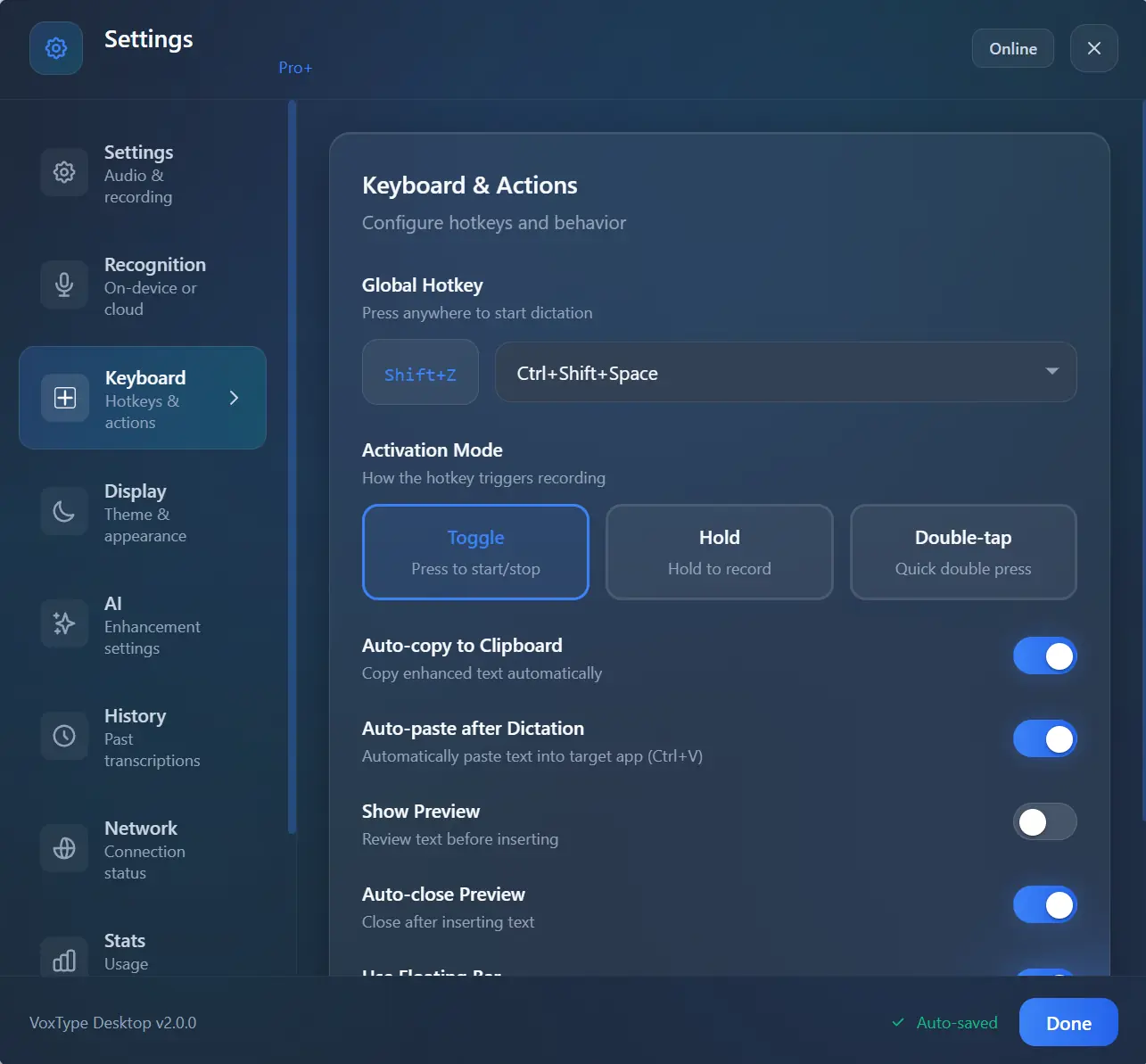
⌨️ Customizable Hotkeys
Set any key combination. Choose Toggle, Hold-to-Record, or Double-Tap activation. Your workflow, your rules.
VoxPM Subscriber? We've Got You Covered
Record meetings directly from VoxType Desktop—no extra apps needed
🎯 One App, Two Powerhouses
VoxType Desktop includes full VoxPM meeting recording built right in. If you're a VoxPM Pro subscriber, just click "Record Meeting" to capture up to 2 hours of any meeting—Zoom, Teams, Google Meet, or any audio source.
Per recording
System-wide capture
Auto-generated
Up to 8 speakers
Don't have VoxPM yet?
Get VoxPM Pro →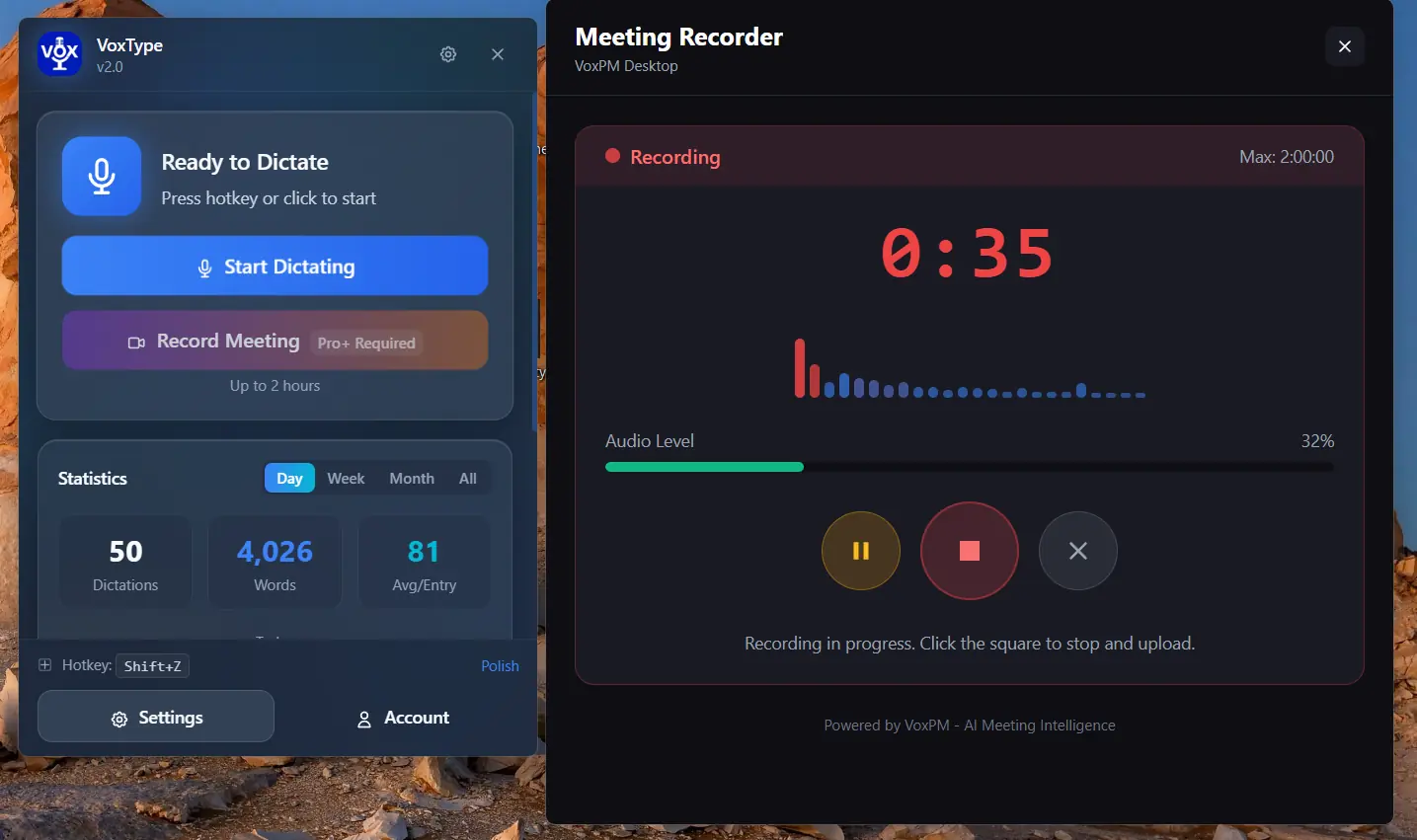
Dictation + Meeting Recording in one seamless app
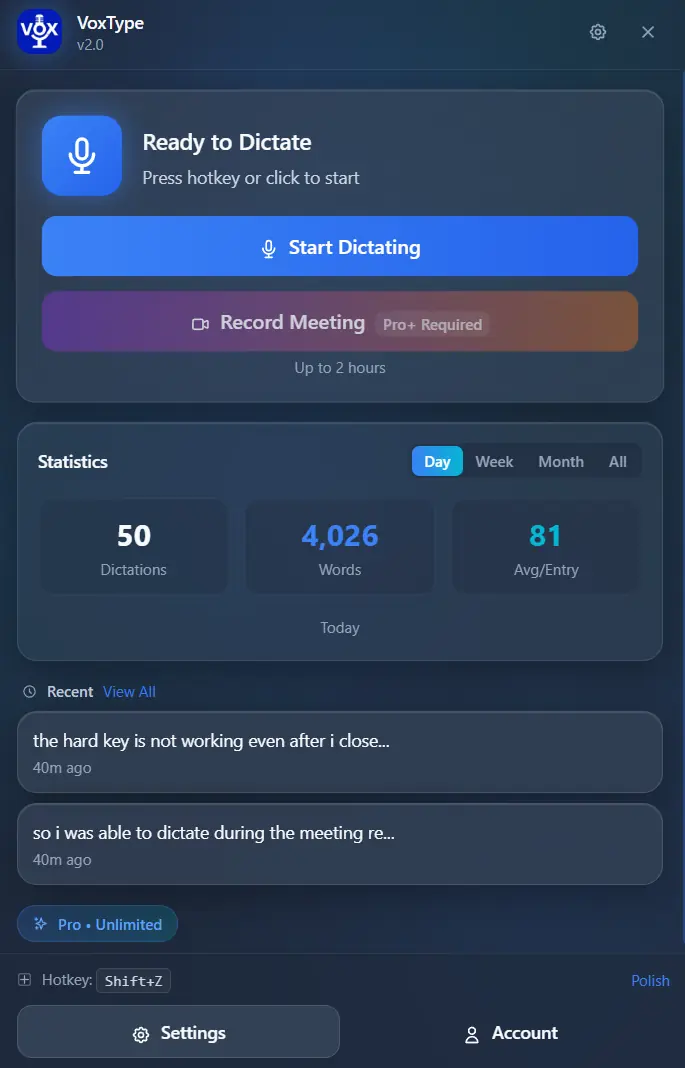
🎙️ One-Click Recording
Click "Record Meeting" to start capturing any meeting instantly
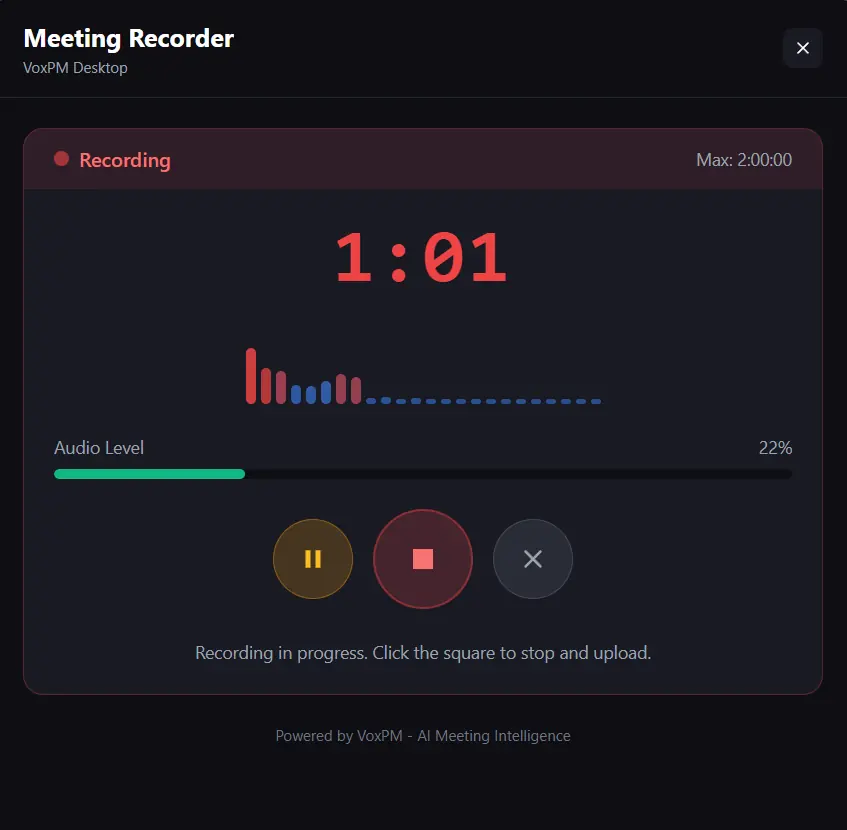
📊 Real-Time Monitoring
See recording time, audio levels, and controls at a glance
How VoxType Desktop Works
From voice to polished text in three simple steps
Speak
Press your hotkey (default: Shift+Z) and start talking naturally. No need to speak like a robot.
Enhance
VoxType's AI transcribes and polishes your speech—fixing grammar, removing filler words, adjusting tone.
Paste
Text auto-pastes into any app—browsers, email, code editors, even terminals. Zero copy-paste needed.
One Voice, Many Styles
VoxType automatically detects your app and adjusts its output
Gmail, Outlook — Professional, formal tone
Chat
Slack, Teams, Discord — Casual, friendly
Code
VS Code, Sublime — Technical, precise
Notes
Obsidian, Notion — Authentic, minimal changes
One Subscription. All Platforms.
VoxType Desktop is part of the VoxType family—all products work together seamlessly
VoxType Keyboard
AI-powered voice keyboard for Android. Type 3x faster with 97% accuracy.
- ✓ Voice dictation in 60+ languages
- ✓ AI text enhancement
- ✓ Swipe typing & themes
Chrome Extension
Voice typing & AI writing for any website. Works on Gmail, Docs, LinkedIn & more.
- ✓ Floating mic on any text field
- ✓ AI shortcuts (Polish, Rewrite)
- ✓ VoxGenie AI assistant
Desktop App
Full VoxType experience on Windows with offline AI and system-wide dictation.
- ✓ System-wide voice typing
- ✓ Offline AI processing
- ✓ GPU acceleration
- ✓ CLI/Terminal support
VoxPM
AI-powered meeting intelligence. Record, transcribe, and extract insights automatically.
- ✓ One-click meeting recording
- ✓ AI transcription (90+ languages)
- ✓ Smart summaries & action items
Your corrections, vocabulary, and preferences sync across all VoxType platforms. Teach VoxType once, benefit everywhere.
Simple, Transparent Pricing
Start free with 15 minutes. Upgrade when you need more.
- ✓ 15 voice minutes/month
- ✓ 50 AI enhancements/month
- ✓ Basic AI polish
- ✓ Local processing available
- ✓ Dictation history
- — Cross-platform sync
- — Custom dictionary
- — Meeting recording
- ✓ Unlimited voice minutes
- ✓ Unlimited AI enhancements
- ✓ All AI modes (6 styles)
- ✓ Cross-platform sync
- ✓ 5,000 custom dictionary terms
- ✓ Meeting recording (2 hrs)
- ✓ GPU-accelerated local AI
- ✓ Complete history & stats
- ✓ Priority support
Not satisfied? Full refund within 30 days, no questions asked.
Made with Love in Vermont, USA
VoxType Desktop is built by a small team in the beautiful Green Mountain State. We believe privacy is a right, not a feature. With on-device processing, your voice never has to leave your computer—ever.
Option
Processing
Frequently Asked Questions
Everything you need to know about VoxType Desktop
Windows Voice Typing provides basic transcription. VoxType goes further with AI enhancement that fixes grammar, removes filler words ("um", "uh", "like"), adjusts tone based on context, and learns your personal style over time. Plus, it works in CLI terminals and offers complete on-device processing for privacy.
Yes! With our on-device processing option, you can download AI models (speech recognition and text enhancement) that run entirely on your computer. After the initial download, VoxType works without any internet connection. GPU acceleration (NVIDIA CUDA or AMD Vulkan) makes it blazing fast.
VoxType Desktop requires Windows 10 or later, 4GB RAM (8GB recommended), and 500MB disk space. For GPU acceleration, you need an NVIDIA (CUDA) or AMD (Vulkan) graphics card. VoxType automatically falls back to CPU if no compatible GPU is detected.
Every time you correct VoxType's output, it remembers. Corrections, vocabulary preferences, and style patterns are stored and applied to future dictations. With Pro, this learning syncs across your Android phone, Chrome browser, and desktop automatically.
Yes! VoxType detects when you're in VS Code, Sublime Text, or other editors and preserves technical terminology and formatting. It even works in CLI terminals (PowerShell, CMD, WSL) with smart right-click paste—a unique feature no other dictation app offers.
VoxType supports 12+ languages including English, Spanish, French, German, Portuguese, Chinese, Japanese, Korean, Italian, and Hindi. Each language includes regional accent support for proper spelling and terminology (e.g., color vs. colour).
You choose your privacy level. Use cloud processing for speed, or keep everything on your device with local AI models. In local mode, your voice and text never leave your computer. We also offer a Privacy Mode that disables all data collection and cloud sync.
Yes! You can cancel your VoxType Desktop Pro subscription anytime. We also offer a 30-day money-back guarantee—if you're not satisfied, we'll refund you in full, no questions asked.
Ready to Type with Your Voice?
Join thousands of professionals who save hours every week with VoxType Desktop
15 minutes FREE • 30-day Pro trial • 30-day money back guarantee