Download VoxType Desktop
For Windows 10 and Windows 11, 64-bit. There are two installers with the same features and the same size, about 208 MB each. Either one works: pick the one that matches your graphics card.
AMD / Intel / other
For AMD Radeon, Intel graphics, any other graphics, or if you are not sure.
- Uses your graphics card when it can, the processor otherwise
- About 208 MB
NVIDIA
For PCs with an NVIDIA graphics card, such as GeForce or RTX.
- Uses your graphics card when it can, the processor otherwise
- About 208 MB, the same as the other installer
Both installers have every feature, include the on-device voice model and are signed by Maple Code Studios. VoxType updates itself from inside the app.
Not Sure Which Graphics Card You Have?
It takes about ten seconds to check.
With Task Manager
- Press Ctrl+Shift+Esc.
- Open the Performance tab.
- Click GPU. The name of your graphics card is at the top right.
What to pick
- The name starts with NVIDIA: pick NVIDIA.
- It says AMD, Radeon, Intel or anything else: pick AMD / Intel / other.
- You see two GPUs and one is NVIDIA: pick NVIDIA.
- Still unsure: pick either one. Both work on every PC.
System Requirements
| Windows | Windows 10 or Windows 11, 64-bit |
|---|---|
| Microphone | Any working microphone or headset |
| Graphics | Optional. With a graphics card that supports Vulkan (most do), on-device voice is much faster. Without one, VoxType uses the processor. |
| Disk space | Room for the app, plus any optional models you download later (voice models up to 700 MB, AI models up to 3.5 GB) |
| Internet | To sign in the first time and for AI cleanup, Quick enhance, voice commands, cloud transcription and sync. On-device voice works offline. |
| Account | A free VoxType account. Sign in with Google or with your email. |
Install in a Minute
Run the installer, choose where to install, and VoxType opens when it is done. Sign in, pick your hotkey, and start talking.
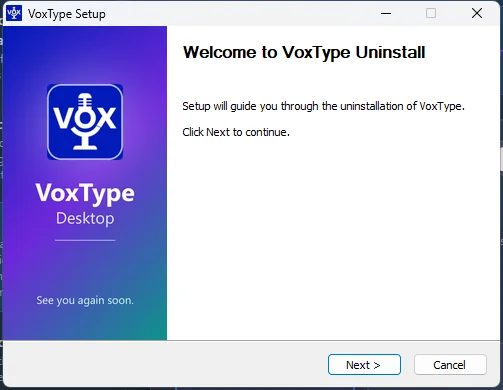
1. Run the installer
You can choose the install folder.
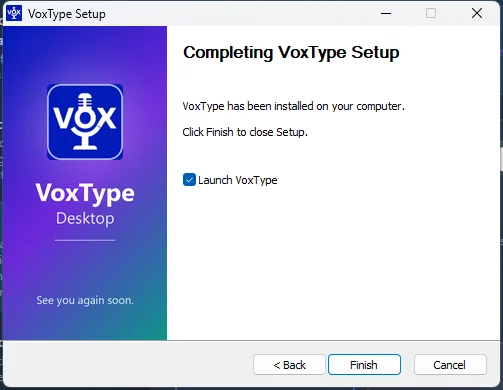
2. Launch VoxType
Sign in with Google or email and pick your hotkey.
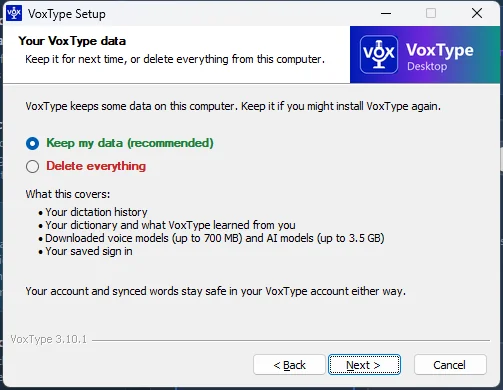
If you ever uninstall
Keep your data (the default) or delete everything.
From version 3.10.1 on, updates keep all your data and never ask questions.